Key Takeaways
You must confirm your identity shortly after you claim universal credit, usually through your online account, before your first payment can be made. Missing the deadline can mean starting a new claim from scratch.
GOV.UK One Login and the GOV.UK One Login app are now the main ways to prove your identity online. You need two forms of ID to verify online, typically a photo ID document and supporting evidence.
If you cannot verify your identity online, there are other ways to confirm your identity, including phone biographical interviews, face to face Jobcentre appointments, and identity checks at a post office.
Common documents include a passport, uk driving licence, proof of address dated within six months, and bank account details. If you lack standard documents, DWP will offer alternative routes.
People going through uc migration from legacy benefits like Tax Credits or ESA will also need to pass an identity check, even if DWP already holds some of their details.
Introduction: how Universal Credit identity checks work
Every new universal credit claim includes an identity check. The identity check process for Universal Credit is designed to reduce fraud and make sure payments reach the right person. Without completing it, your universal credit payment cannot begin.
Identity checks are usually completed within the first month of a claim, alongside agreeing a claimant commitment with your work coach and providing income details. Claimants may verify their identity online or through a face-to-face appointment, depending on their circumstances and the documents they hold.
Failing to confirm your identity can delay or completely stop your first payment, including any housing or childcare elements. If verification is not completed by the specified deadline, a new claim may be required.
You normally start the identity journey in your universal credit online account, using your email, password and one login details. From there, the system guides you through the available routes.
This article covers online checks using the login app, post office checks, Jobcentre interviews, telephone identity calls, uc migration cases and common problems people encounter along the way.
Confirming your identity when you claim Universal Credit
The identity process begins as soon as you submit your universal credit application online. You can verify identity online using your Universal Credit account, and for most claimants this is where everything starts.
Your online journal will prompt you to confirm your identity, usually on the same day you submit your claim. A journal message will appear in your to-do list with a clear deadline. Treat this deadline seriously. If you miss it, DWP may cancel your claim entirely.
You will normally be offered several options to verify your identity online first. Only if those routes fail or are unsuitable will you be moved to phone or in-person checks. Most claimants verify their identity online without needing to visit a Jobcentre or post office.
If you run into problems with your identity check, do not make a second universal credit claim. Instead, send a journal message or call the Universal Credit helpline to explain what happened. Starting a fresh claim resets your waiting period.
Identity checks are separate from the financial assessment of your claim, but both must be completed before your first payment date. That first payment normally arrives around five weeks after the claim date, assuming everything is in order.
Proving your identity online with GOV.UK One Login
GOV.UK One Login is the government's unified sign-in and identity verification service. Many DWP and HMRC services, including Universal Credit, now use it to manage login and identity online. It replaced the older Government Gateway and GOV.UK Verify systems, so if you are making a new claim, expect to use One Login instead.
When you first claim universal credit, you will create or use an existing one login account. From there, you follow on-screen steps to prove who you are. Once you have successfully proved your identity with GOV.UK One Login, you generally will not need to do full ID verification again for future gov services that use the same login.
One Login offers three main routes to verify your identity:
Using the GOV.UK ID Check app with photo id
Answering security questions online
Visiting a participating post office branch in person
The system typically offers the app route first. If that does not work for you, it moves on to security questions, then the post office or phone alternatives. You need two forms of ID to verify online, regardless of which digital route you choose.
Using the GOV.UK One Login app with photo ID
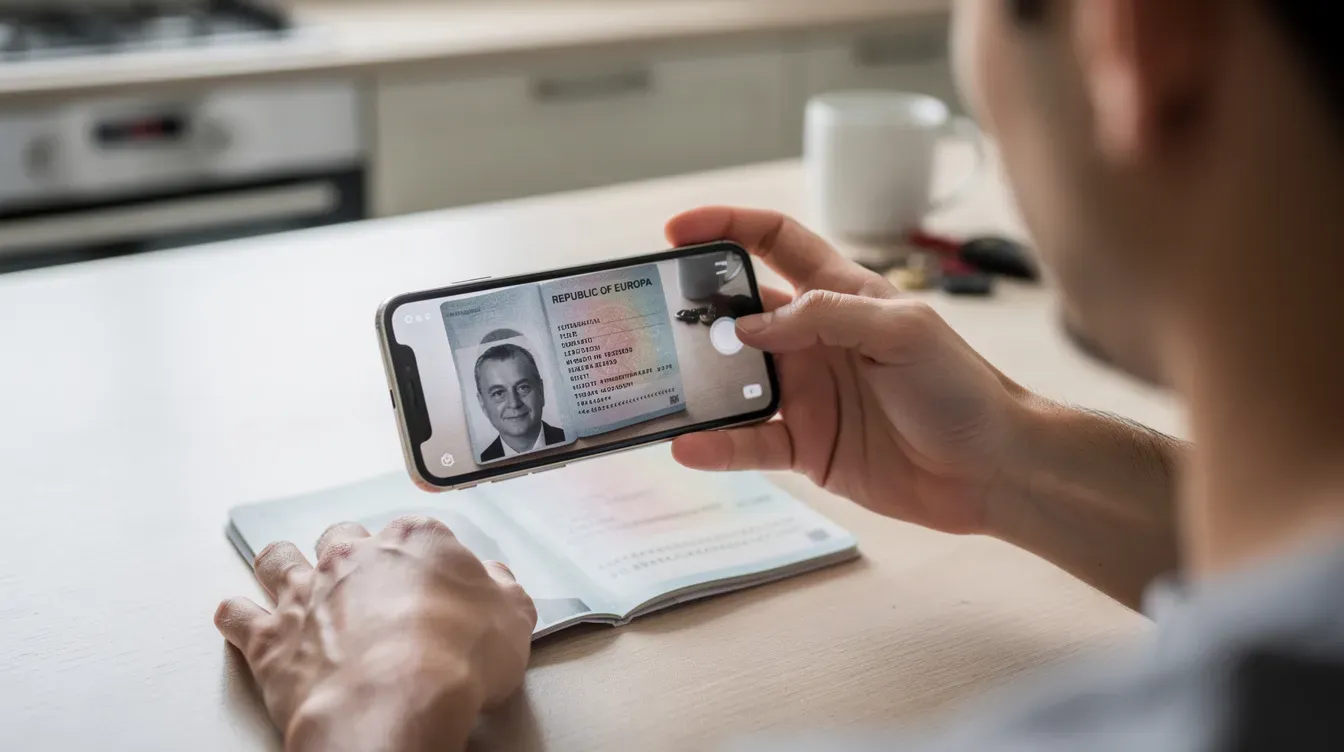
The GOV.UK One login app is the fastest way to complete your identity check. You can use the GOV.UK One Login app for identity verification, and when everything goes smoothly the process can take just a few minutes.
Before you start, make sure you have the following ready:
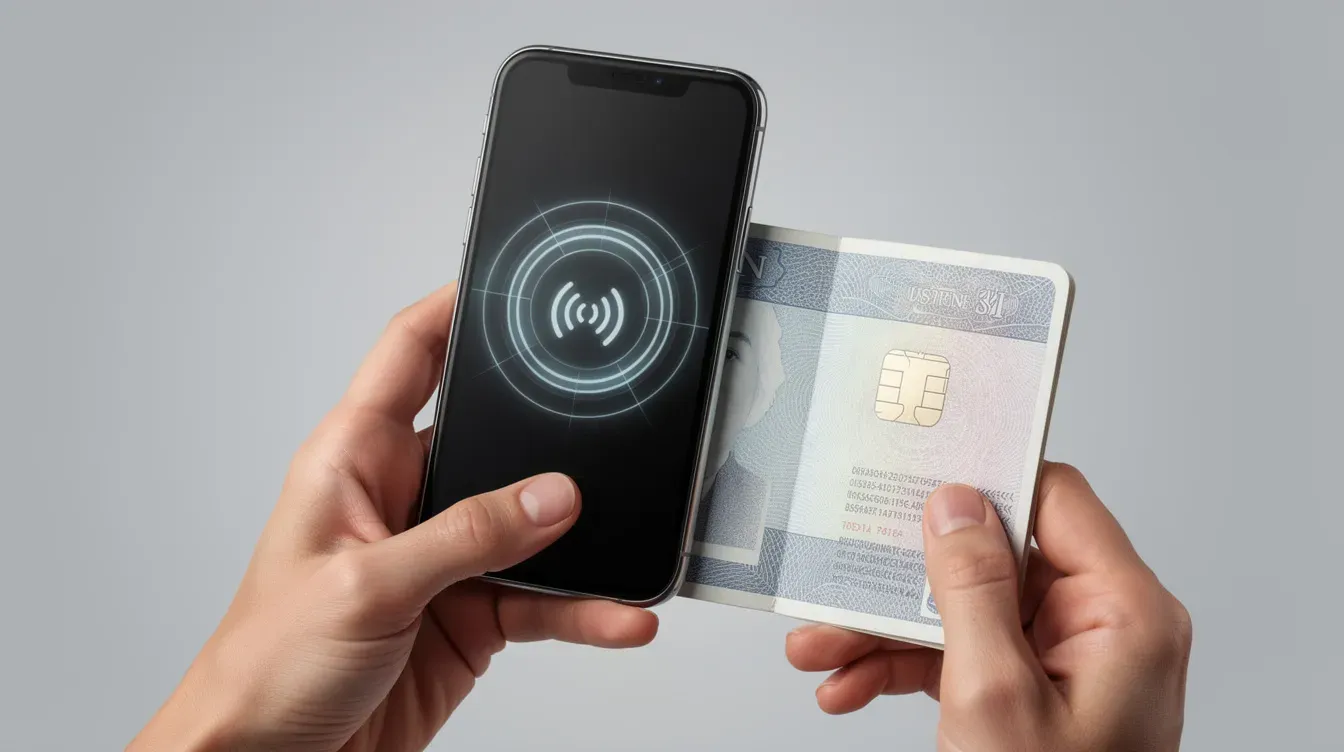
A smartphone with a working camera and NFC capability
A stable internet connection
Access to the email address linked to your one login account
A valid form of photo id
Supported devices include iPhones from the iPhone 8 upwards running iOS 16.7 or later, and Android phones such as Samsung or Google Pixel running Android 10 or later.
During the process, you will be asked to scan or photograph your photo id. Acceptable id documents for the app route include:
UK passport (must not be expired)
UK photocard driving licence (including provisional)
Non-UK biometric passport with a chip
UK biometric residence card or biometric residence permit
UK frontier worker permit
The app checks the chip or security features in the document where possible, then asks you to take a live selfie. It matches the selfie to the photo on your id to confirm identity. This liveness detection step prevents someone from using a photograph of another person.
If the scan fails, try again in good lighting with a clean camera lens. If the problem persists, use a different device or pick another identity option in the One Login journey.
Answering security questions online without the app
This route is for people who cannot or prefer not to use the login app, or who do not have suitable photo id for the app route. You can verify identity by answering security questions online, and the process draws on records that only you should know about.
You may be asked questions based on your credit record, mobile phone contract details, bank account history, or existing DWP and HMRC records. You can answer security questions based on your credit record, which means the system pulls data from credit reference agencies to generate personalised questions.
Even when using this route, you might need to enter details from an identity document such as a passport number or uk driving licence number. The system uses this as one layer of confirmation alongside the questions themselves.
Be aware that too many incorrect answers may cause the online check to fail. If that happens, you will be referred to a phone call, post office visit, or Jobcentre appointment instead.
Before starting, have the following to hand:
Your bank account sort code and account number
Any recent official letters from DWP, HMRC, or your bank or building society
Your National Insurance number
Details of any mobile phone contract or credit agreements in your name
Proving your identity at a Post Office
Some people will be offered an in-person identity check at participating post office branches. This is a good option if you have a valid photo id but cannot use the app or pass security questions online.
You will be asked to bring one acceptable form of photo id, such as a passport or photocard driving licence, for the post office staff to check. They will scan the document and take a photograph of you in the branch.
The post office sends the result of the identity check electronically. You will usually receive an email confirmation within one working day of your visit.
After the post office visit, log back into your universal credit account and check your journal for any further actions. DWP may still need additional evidence or want to schedule your first work coach appointment.
If there is no local post office offering the service or you cannot travel, contact Universal Credit to request another method. Home visits for identity verification can be arranged in exceptional circumstances, and if you cannot complete online verification, you may contact your local Jobcentre for assistance.
What documents you may need for Universal Credit identity checks
Not everyone has the same documents, and DWP can use different combinations to confirm identity. The key principle is that stronger evidence speeds up the process, but alternatives exist for people with limited paperwork.
Having at least one strong photo id document, one proof of address, and basic bank account details usually makes the process much faster. Scottish, Welsh, and Northern Ireland claimants follow the same broad rules, though names of local offices and forms may differ slightly.
Original documents are normally needed for face to face interviews, but clear scans or photos may be acceptable when uploading via the online account.
Accepted photo ID
Strong photo id is the easiest way to prove identity quickly, especially when using the one login app or a post office check. The following types of photo id are widely accepted:
UK or foreign passport
UK photocard driving licence (full or provisional)
EU or EEA national identity photocard from an eu country
Biometric residence permit or uk biometric residence card
UK frontier worker permit
Armed forces identity card
Police warrant card
PASS-accredited identity card
Some expired photo IDs can still be used. For example, an expired driving licence can be used if it expired within 90 days. You can use an expired BRP up to 18 months after expiry. However, expired passports are not accepted for the app route.
If your name has changed since your photo id was issued, you will need to provide evidence of the change, such as a marriage certificate or deed poll.
If someone has no photo id at all, they will usually be moved to other evidence routes like security questions, DWP biographical checks, or Jobcentre interviews. Having no photo id does not prevent you from making a universal credit claim.
Proof of address
Proof of address helps link the person to the address used in their universal credit claim and the security questions route. Documents should be dated within the last six months and clearly show your name and current address.
Typical proofs of address include:
Council tax bill
Gas, electricity, or water bill
Landline phone or broadband bill
Bank, building society, or credit card statement
Official letters from HMRC or DWP
Tenancy agreement or mortgage statement
Online statements are normally acceptable if they clearly show your name, address, and date, and can be printed or uploaded as a PDF.
If you have no bills in your own name, for example because you live with parents or in shared accommodation, DWP may ask for alternative evidence or a brief explanation in your journal. A letter from your landlord or a household member confirming your residence can sometimes help.
Bank account and financial details
While bank account details are not id documents on their own, DWP uses them both to pay universal credit and to support identity checks during the security questions route.
You should have the sort code and account number of the account you want your universal credit first payment paid into. The account should ideally be in your name or your partner's name.
Some identity routes may ask questions about past or current bank accounts or credit history, so make sure the information you enter details for is accurate.
If you do not have a bank account, you should still claim universal credit and then ask about other ways to receive payment, such as Payment Exception Services. DWP will not refuse your claim simply because you lack a bank account.
Only enter your bank account details on the official gov.uk website or confirm them during an official DWP phone call. DWP will never ask for your banking PIN or full card number. Be cautious of scams.
Other ways to confirm your identity: phone and Jobcentre checks
DWP has alternative methods if online identity checks fail or if you cannot use the internet or smartphones. These methods can include a structured phone call, a face to face Jobcentre Plus interview, or a detailed biographical check using existing DWP records.
These options are still part of the normal Universal Credit process and do not reduce your entitlement if you are eligible. Using a non-digital route does not flag your claim or create any disadvantage.
You will usually see a message in your online journal telling you which option you have been booked for, with the date, time, and what to bring. If you do not have an online account, DWP will contact you by phone or letter.

Telephone identity interviews
A phone call may be used when online checks are inconclusive or when someone starts a claim by phone instead of using the online service. You can verify identity by phone through a biographical interview, and a biographical interview may be arranged if online verification fails.
During the call, you will usually be asked about:
Your full name and date of birth
Your address history over recent years
Your National Insurance number
Past benefit claims or employment details
Your bank account or building society details
For uc migration cases, the call may also cover previous benefits such as ESA, JSA, Income Support, or Tax Credits, along with recent postcodes and household details.
The caller should always identify themselves as from the Department for Work and Pensions. DWP may arrange a scheduled slot for the call, especially for vulnerable claimants who need extra support or an interpreter.
Have any existing benefit letters, bank statements, and id documents nearby during the call to help you answer questions accurately. The more prepared you are, the faster the process will complete.
Jobcentre Plus identity appointments
Some claimants will be asked to attend a Jobcentre Plus office to show original documents in person. This is common when online and phone routes have not produced a clear result, or when the claimant has limited documentation.
You must provide one photo id and proof of address in person. You should bring:
One photo id (passport, driving licence, or equivalent)
One proof of address dated within the last six months
At least one further proof of identity such as a bank card, recent payslip, or official letter
Staff may ask extra questions if documents do not match, are damaged, or are from outside the UK. This is a standard part of the process and not a sign that something has gone wrong.
The appointment may be combined with your first meeting with a work coach, where your claimant commitment is discussed and agreed. This commitment sets out what you will do in return for receiving universal credit, such as looking for work or attending training.
Practical tips for the appointment:
Arrive early to allow time for security checks at the building entrance
Bring reading glasses if you need them for forms
If you have a translation or support worker already agreed with DWP, bring them along
Keep your phone charged in case staff need to check your online account with you
UC migration and identity checks for people moving from other benefits
UC migration is the process of moving people from older benefits like Tax Credits, income-related ESA, or Income Support onto Universal Credit. If you are affected, you will receive a Migration Notice letter giving you a deadline to submit a new universal credit claim.
Even if DWP or HMRC already holds some of your identity information from years of paying tax or claiming benefits, you may still need to pass updated identity checks when you submit your universal credit claim. The one login system requires its own verification, regardless of what was done under previous services.
Some people going through migration will receive a phone call to verify identity if the information from their claim form is incomplete or does not match existing records. During these calls, DWP may ask about:
Previous names and historic addresses
Current and past benefit claims
Who lives in your household
Your National Insurance number and recent bank details
If identity cannot be confirmed over the phone, you may be asked to attend a Jobcentre appointment or request a biographical check through your online journal. Migration cases sometimes take longer because of mismatches between old and new records, but DWP aims to resolve them within the first assessment period.
If you receive a Migration Notice, do not ignore it. Failing to claim universal credit by the deadline on the letter could mean losing your benefits entirely.
What happens after you pass the identity check
Once your identity is confirmed, DWP can continue processing your universal credit claim without further ID delays. You should see confirmation in your online journal, and you may receive messages about next steps such as arranging an appointment with your work coach.
Your first universal credit payment normally arrives around five weeks after your original claim date, not the date that identity is confirmed. This assumes all other checks, including income verification and housing evidence, are complete.
If you cannot wait for your first payment, you may be able to request an advance through your online account once your identity has been verified. An advance is an interest-free loan from DWP that is repaid through deductions from future universal credit payments.
Keep checking your journal regularly for messages and tasks. DWP may ask you to upload documents, report changes in your circumstances, or confirm details before your payment date. Responding quickly to every request helps avoid last-minute delays.
After verification, your one login identity record is also reusable. If you need to access other gov services that use GOV.UK One Login in the future, you should not need to go through full identity verification again.
Common problems and how to fix them
Many claimants encounter issues with online identity checks, especially if they have limited documents, older devices, or poor digital access. Knowing what can go wrong helps you fix problems faster.
Common issues include:
Problem | Likely cause | What to do |
|---|---|---|
One Login app does not recognise your photo id | Poor lighting, blurry camera, damaged document | Retry in bright, even light with a clean lens; try a different device |
Security code not arriving by text or email | Wrong phone number or email on file; network delays | Check your contact details in your account; wait a few minutes and retry |
Information does not match credit records | Name spelled differently, old address on file, thin credit history | Double-check every detail you enter; try the post office route instead |
App cannot read the chip in your document | Phone lacks NFC, document chip damaged | Use a different phone with NFC, or switch to the security questions route |
Expired document rejected | Document outside the accepted expiry window | An expired UK driving licence can be used if expired within 90 days; an expired brp can be used within 18 months; expired passports are not accepted |
If online checks continue to fail after multiple attempts, send a journal message or call the Universal Credit helpline to request a phone or Jobcentre identity route. Do not keep retrying indefinitely, as repeated failures can lock you out temporarily.
Always check you are on the official gov.uk website or app before entering any personal details. DWP will never ask for your banking PIN, full card number, or one login password over the phone or by text. If someone contacts you asking for these, it is a scam.

Frequently Asked Questions
Do I need photo ID to claim Universal Credit?
Photo id such as a passport or uk driving licence makes identity checks much quicker, but it is not a strict legal requirement to claim universal credit. If you have no photo id at all, DWP can use other ways to confirm identity, including security questions, bank details, Jobcentre interviews, and existing benefit records.
If you are in this situation, still submit your claim as soon as possible. Then tell DWP via your journal or by phone that you have limited documents. They will arrange an alternative route to prove your identity.
Can I complete the identity check without internet access?
Yes. People without reliable internet can start a universal credit claim by phone and ask for a phone-based identity interview or a Jobcentre appointment. Public libraries, community centres, and support organisations may also offer internet access to help you use the one login service.
DWP can record reasonable adjustments for people who cannot use digital services. This means you will not be repeatedly pushed back to online identity checks if a non-digital route has been agreed.
Will my Universal Credit be stopped if I fail an online identity check?
Failing an online check does not automatically end your claim. It does mean DWP must try other ways to confirm your identity before paying you. You should respond quickly to any journal message or letter offering phone calls, post office checks, or Jobcentre appointments.
Ignoring these requests for too long may cause your claim to be closed. Communication with DWP is essential. If you are struggling, ask a support worker, friend, or family member to help you respond.
How long does the identity check usually take?
Many people complete online identity checks in under 15 to 30 minutes if their documents are accepted first time. Post office checks often confirm within one working day. Jobcentre appointments or complex cases can take longer, especially if extra evidence is needed.
As long as you respond promptly and attend arranged appointments, DWP will aim to finish identity checks within your first assessment period so your payment is not delayed.
What should I do if my personal details change after I have been verified?
You must update any changes in name, address, or bank account as soon as possible in your universal credit online account. Significant changes may trigger further security questions, but they usually do not require a full identity check again.
Keep copies of any legal documents linked to the change, such as marriage certificates or tenancy agreements, in case DWP asks for evidence. Reporting changes promptly also protects you from overpayments or underpayments that could create problems later.
For more posts and updates on benefits, pensions, and how to navigate the welfare system, keep this page bookmarked and check back regularly. If you know someone about to create a universal credit claim, share this guide so they can prepare their documents and avoid unnecessary delays.


