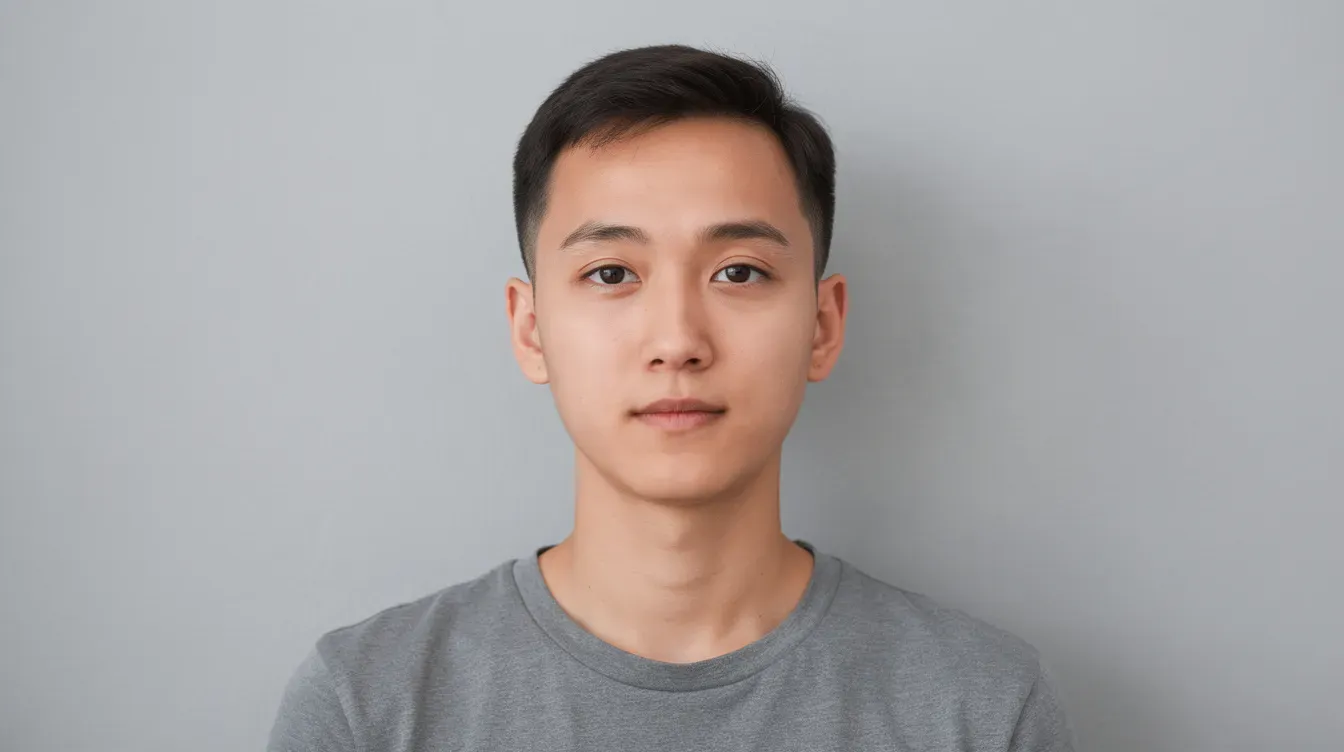
Getting your uk passport photo rejected is one of the most frustrating delays in the passport application process, and wrong dimensions are one of the top causes. Whether you are applying with a paper form or submitting a digital passport photo through online services, HM Passport Office enforces strict size rules that every applicant must follow. This guide breaks down every measurement, file specification, and practical tip you need to get it right the first time.
Key Takeaways
Printed passport photos must measure exactly 45 mm high × 35 mm wide, while digital passport photos must be at least 600 pixels wide × 750 pixels tall.
The visible head from crown to chin must be between 29 mm and 34 mm on printed photos to meet biometric standards.
Online applications need a digital photo saved as a JPEG with a file size between 50 KB and 10 MB, taken against a plain light coloured background.
Babies and children follow the same photo size rules, but children under 6 have relaxed rules on expression and eye contact.
Wrong dimensions are among the most common reasons passport photos are rejected, causing delays in getting a new passport.
UK passport photo dimensions at a glance
HM Passport Office (the passport office responsible for all UK passport applications) sets precise size rules for both printed photos and digital submissions. UK passport photo requirements depend on whether you are submitting printed or digital photos, but the proportions remain the same across both formats.
Here are the core numbers you need to know:
Printed photo size: 45 mm high × 35 mm wide (portrait orientation)
Digital photo minimum: 600 pixels wide × 750 pixels tall
Aspect ratio: 7:9 (width to height) for both formats
Head height (crown to chin): 29–34 mm on printed photos; equivalent proportion digitally
File size (digital only): between 50 KB and 10 MB
These dimensions apply to every new passport photo you submit, whether it is for a first-time application or a renewal. Photos must be in portrait orientation, not landscape, and must not be trimmed down from a larger picture or group shot.
Printed UK passport photo dimensions
Printed photos are required whenever you apply using a paper form, which is common for applications sent by post or made at certain locations abroad.
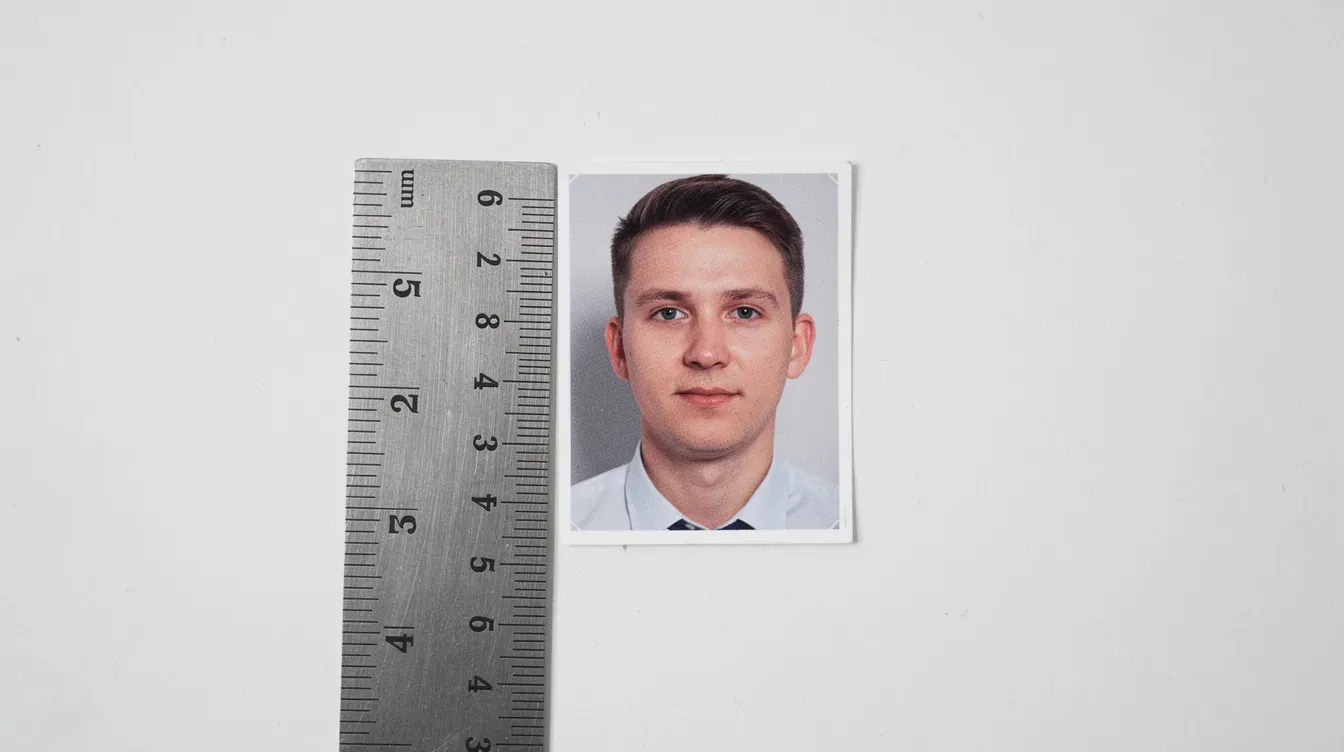
The exact photo size is 45 mm high × 35 mm wide (4.5 cm × 3.5 cm). The photo must be rectangular in portrait format with no border around the edges. Passport photos must measure 45mm high by 35mm wide without exception.
Head size rule
The distance from the top of the head (the crown, not hair volume that sits above it) to the bottom of the chin must be between 29 mm and 34 mm. This means the face occupies roughly 70–80% of the photo's vertical height, which is the proportion biometric systems need to read the image correctly.
Quantity and quality
You must submit two identical printed photos for paper applications. Both copies need to meet the same dimension and quality rules. Key print requirements include:
Photos must be on professional standard photographic paper (glossy or matte finish), sometimes called plain white photographic paper.
Printed photos must be free of creases or tears, unmarked, and unaltered.
Photos must not be cut down from group shots or a larger picture; they must be produced at the correct size from the start.
Even if you nail every measurement, a creased print or a low-quality home inkjet output can still trigger a rejection.
Digital passport photo dimensions and file size
All online applications for a digital passport require a compliant digital photo uploaded through the GOV.UK service.
Pixel dimensions
Your photo must be at least 600 pixels wide and 750 pixels tall, maintaining the same 7:9 aspect ratio as the printed version. Digital passport photos must be at least 600 pixels wide to pass the automated checks. Most modern smartphones and any decent digital camera easily exceed this minimum, so resolution is rarely the problem; framing and proportion are.
File format and size
The image must be a JPEG (JPG) in full colour, unaltered by computer software such as beauty filters or retouching tools. The file size must fall between 50 KB and 10 MB. Files under 50 KB are usually too compressed and blurry, while files over 10 MB will be rejected by the upload portal.
Head proportions
The same head-size proportions apply digitally. Even though you are working in pixels rather than millimetres, the crown-to-chin measurement must fill the equivalent 70–80% of the frame's vertical height. If you crop the image to 600 × 750 pixels, the head should be centred and proportioned just as it would be on a 45 × 35 mm print.
Photos cannot be altered or edited by computer software to change your appearance. Basic cropping and rotation to correct orientation are acceptable, but filters, slimming effects, skin smoothing, or any colour alteration are grounds for rejection.
Understanding head size and positioning
Biometric readers do not just check the overall photo size; they rely on consistent head proportions to map facial features. If the head is too small or too large within the frame, the automated system cannot process the image correctly.
Positioning guidelines
The head must be centred horizontally with roughly equal space on either side.
There should be a small margin of background above the crown.
The chin and the crown must both be fully visible, with nothing obscuring them.
Your upper body and the top of your shoulders should appear in the frame, but you do not need to include your full torso. A close up of the head and shoulders is the target.
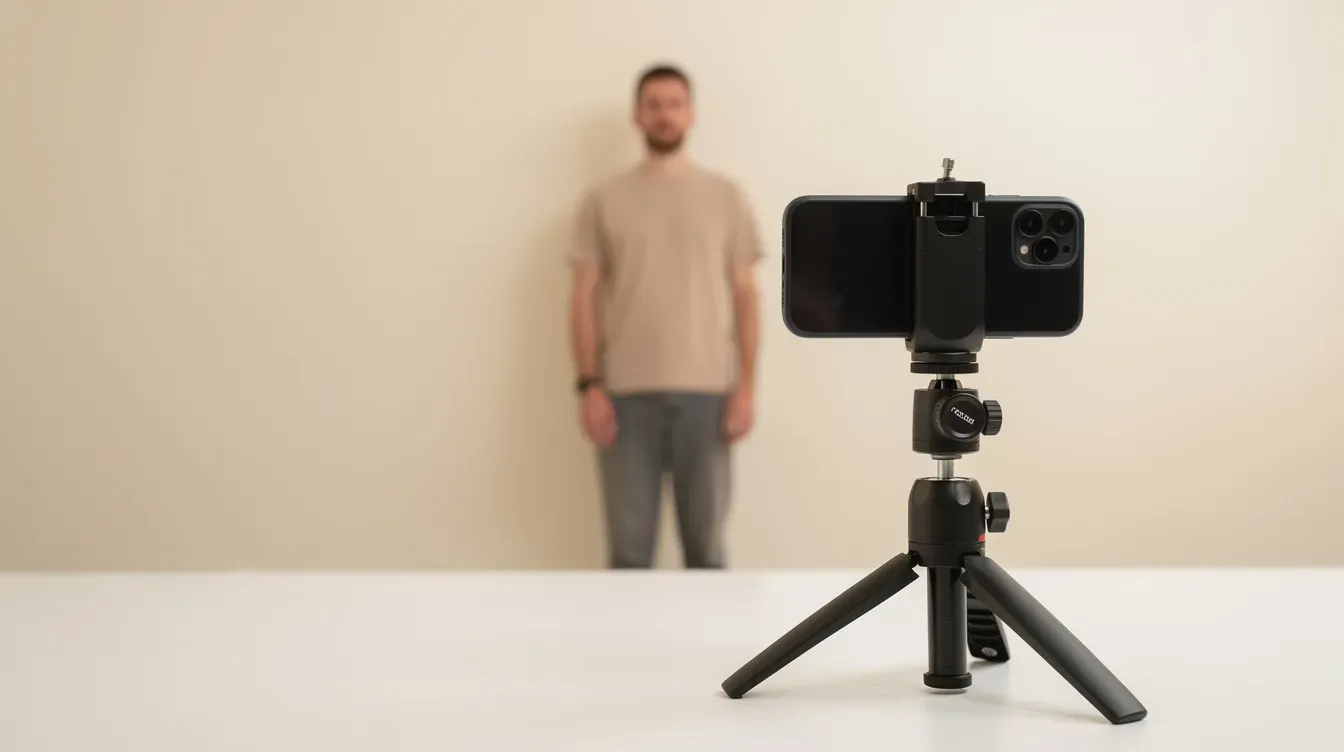
When using a digital camera or smartphone, the photographer should stand roughly 1 to 1.5 metres away. This distance produces a correctly proportioned head-and-shoulders composition and avoids the perspective distortion you get from arm's-length selfies. You should look straight at the camera, facing forwards, with your head upright and not tilted.
Background, lighting and colour requirements
Getting the dimensions right is only half the battle. Background and lighting errors trigger just as many rejections.
Background
The background must be plain and light coloured. HM Passport Office accepts light grey or cream backgrounds. A plain light coloured background with no patterns, textures, or other objects is mandatory. Pure white can sometimes cause problems because the automated checker struggles with clear contrast between the subject and the background. A plain light coloured sheet or a neutral-toned wall works well.
Lighting and colour
Photos must be clear, in focus, and in full colour with natural skin tones. Passport photos must be evenly lit to avoid shadows on your face or behind your head. Here are the practical rules:
Use natural light wherever possible. Facing a window gives even, soft illumination.
Stand about 50 cm away from the background wall so light falls evenly and prevents visible shadows.
Red eye, glare reflection or shadow on glasses lenses, and colour casts from coloured bulbs are all grounds for rejection.
No tinted glasses or sunglasses or tinted glasses of any kind. If you wear glasses, they cannot have tinted lenses, and no part of your eyes should be covered by the frames. HMPO now generally discourages wearing glasses in passport photos.
Expression and dress
Maintain a plain expression (also called a neutral expression) with your mouth closed and your eyes open and visible. No head covering is allowed unless worn for religious or medical reasons. Hair should be left loose or pulled back so it does not cover any part of the face.
How to get a passport photo with the right dimensions
You can get a passport photo in three main ways: a professional photography shop, a photo booth, or using your own device at home. Each has trade-offs.
Method | Pros | Cons |
|---|---|---|
Professional shop | Pre-set UK templates, expert framing, instant prints | Cost, requires a trip |
Photo booth | Quick, widely available, usually pre-set for UK size | Limited retakes, sometimes inconsistent lighting |
Own device at home | Free, unlimited retakes | Requires careful setup, self-checking |
Shops and booths in the UK usually have pre-set UK passport templates that produce photos at the correct 45 × 35 mm size for prints or generate a compliant digital file. If you are abroad, explicitly request a "UK passport photo, 45 × 35 mm" and double-check that the head height stays within 29–34 mm.
If you take your own photo at home, use a tripod or steady surface and leave enough margin around the head so cropping to 600 × 750 pixels (or the correct print dimensions) is easy. Review the image on a large screen to check sharpness, framing, and background before uploading. Keep an untouched original file and export resized copies if you need to adjust the file size to stay within the 50 KB–10 MB range.
Phones, digital cameras and taking your own digital photo
Modern smartphones and digital cameras can produce fully acceptable passport photos, provided you follow a few rules.
What to avoid
Selfies. Arm's-length shots distort facial proportions and rarely meet the composition or dimension rules. Have someone else take the photo; selfies are not accepted.
Filters and effects. Do not use portrait mode that artificially blurs the background, beauty modes that smooth skin, or any post-processing that changes your appearance. The colour must remain unaltered from the original capture.
How to set up the shot
Use a smartphone to take your passport photo at home by following these steps:
Use the rear camera on your phone for higher resolution.
Ask another person to hold the camera straight at eye level, roughly 1–1.5 metres away.
Stand against a plain light coloured sheet or wall (light grey or cream).
Ensure the full head, from above the crown to below the chin, plus the top of shoulders are visible in the frame with space around them.
Most phones automatically exceed 600 × 750 pixels, so the key steps are correct framing and later cropping to the right 7:9 aspect ratio.
After capturing the photo, check it on a larger screen. Make sure there are no shadows on your face, the background is even, and the image is sharp. Only basic cropping is permitted; no retouching or colour changes.
Babies and children: same dimensions, special rules
The uk passport photo dimensions (45 × 35 mm printed; 600 × 750 px digital) and the 29–34 mm head-height rule are the same for babies and children as for adults. What changes are certain photo rules around expression and eye contact.
Children under 6
Children aged 5 and under do not need a neutral expression. They can smile or frown in photos, and they do not need to look directly at the camera. However, the face must still be fully visible, unobstructed, and correctly proportioned within the frame.
Babies under 1
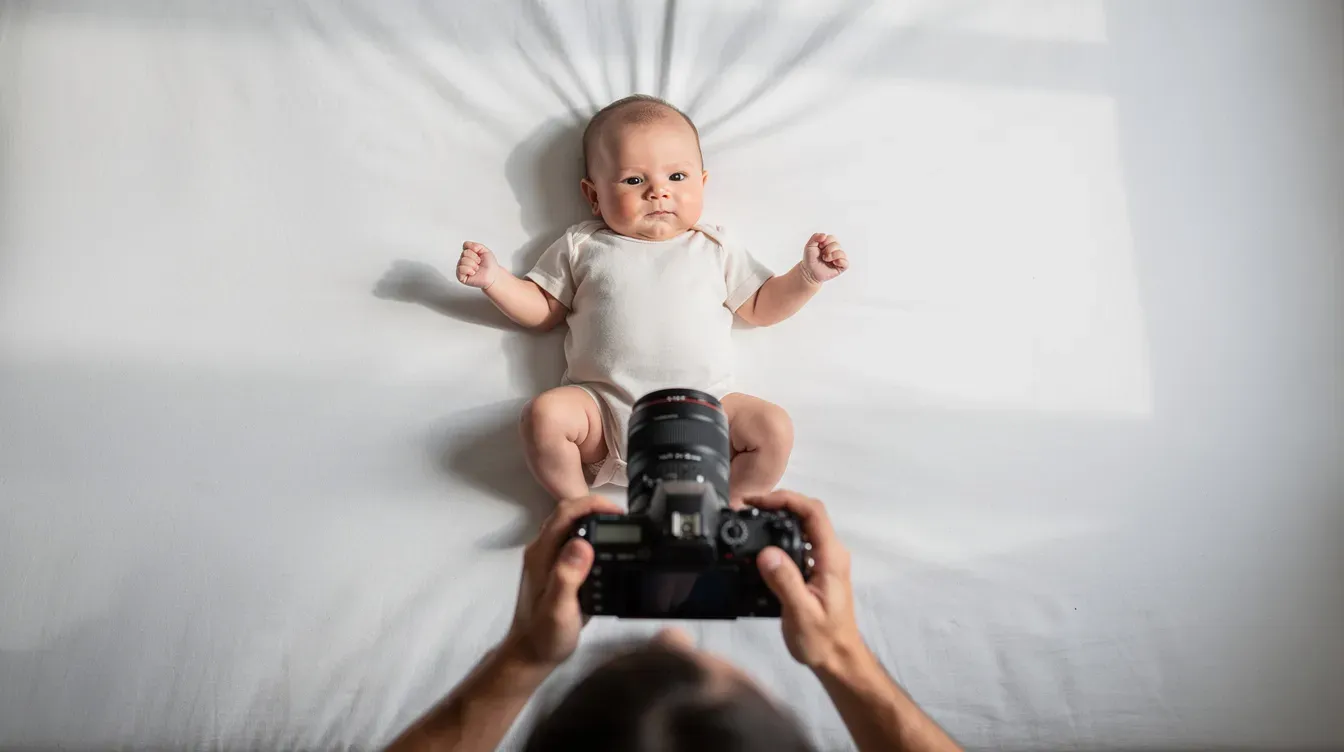
Babies under 1 year old do not need to have their eyes open. You may support a baby's head, but your hands must not be visible in the photo. Children must be alone in the photo, and babies must not be holding toys, dummies, or other objects.
Recommended method
Lay the baby on a plain light coloured sheet (a white sheet works well) and photograph from directly above. This keeps the background clean and makes it easier to centre the head. Take multiple shots to get one where the baby's head is straight and clear, then crop to the 45 × 35 mm equivalent (or 600 × 750 px for digital) while keeping within the head-size rule.
Photos of babies and children are among the trickiest to get right, so expect to take more attempts than you would for an adult.
Common mistakes with UK passport photo dimensions
Size and proportion errors are among the top reasons UK passport photos are rejected, and each rejection can add days or weeks to your application timeline. UK passport photos must meet strict requirements to avoid delays.
Typical dimension mistakes
Wrong print size. Printing at 50 × 50 mm (the US standard) or using a square crop. The correct size for a UK passport is 45 × 35 mm, portrait orientation.
Head too small or too large. A head height far below 29 mm (photographer stood too far away) or above 34 mm (too close) will fail the biometric check.
Square or landscape crops. Social media-style square photos or landscape shots do not meet the rules.
Low-resolution digital files. Uploading images smaller than 600 × 750 pixels, or compressing so aggressively that the image is blurry.
Oversize files. Files above 10 MB are rejected by the upload system before any human review.
How to check
For printed photos, use a standard ruler to measure the overall size and the crown-to-chin distance.
For digital submissions, right-click the file on your computer and check the pixel dimensions, or use basic image software to confirm the photo is at least 600 pixels wide and 750 pixels tall.
Quick checklist before you submit your new passport photo
Use this checklist as a final review before sending your passport application.
Printed photo checks
[ ] Size is exactly 45 mm × 35 mm in portrait orientation
[ ] Head height (crown to chin) is 29–34 mm
[ ] Two identical copies provided
[ ] Printed on professional standard photo paper, free of creases, tears, unmarked
[ ] Not cut down from a larger picture
Digital photo checks
[ ] At least 600 pixels wide × 750 pixels tall
[ ] File size between 50 KB and 10 MB
[ ] Saved as JPEG in full colour
[ ] Correct 7:9 portrait orientation
[ ] Head fills the correct proportion of the frame
Visual checks (both formats)
[ ] Plain light coloured background (light grey or cream), no white background extremes
[ ] No shadows on your face or behind you
[ ] Photo is clear, sharp, and in focus
[ ] Natural skin tones, no filters or heavy edits
[ ] Plain expression, mouth closed, eyes open
[ ] No sunglasses, no tinted glasses, no glare reflection or shadow on lenses
[ ] No head covering (unless for religious or medical reasons)
[ ] Photo taken in the last month
If any of these checks fail, it is safer to retake or reprint the new photo than risk a rejection and a delay in receiving your new passport. A few extra minutes now can save you weeks of waiting.
Passport photo requirements may feel overly rigid, but every rule exists to help biometric systems process your identity quickly and accurately. Nail the dimensions, follow the quality rules, and your passport application will move through the system without a hitch. Bookmark this page and come back to it the next time you need a new passport photo.
FAQ
Can I use a 2x2 inch (50x50mm) photo for a UK passport?
No. A 2×2 inch (roughly 50 × 50 mm) photo is the US passport standard and does not meet uk passport photo requirements. UK printed photos must be exactly 45 mm high × 35 mm wide. Submitting a 50 × 50 mm photo will normally result in an immediate rejection.
Do UK passport photo dimensions change for a digital passport application?
The physical 45 × 35 mm measurement only applies to printed photos. When you apply for a passport online, you submit a digital photo that must be at least 600 pixels wide and 750 pixels tall. The visible head proportions (equivalent to 29–34 mm crown-to-chin on a print) remain the same regardless of format.
How do I check the head size in millimetres on a printed photo?
Place a standard ruler vertically alongside the photo. Measure from the very top of the head (the crown, ignoring any hair volume above it) down to the bottom of the chin. The measurement should fall between 29 mm and 34 mm. If it is outside that range, you will need a new photo.
Can I reuse an old passport photo if the dimensions are correct?
No. Even if the size and dimensions are correct, HM Passport Office requires a photo that has been taken in the last month. Passport photos must be taken within the last month for both print and digital submissions, so old photos should not be reused when applying for a new passport.
Is there any flexibility on the 45×35mm size if my photo is slightly off?
UK photo rules are strict. Printed photos must be exactly 45 mm high × 35 mm wide. Even small deviations of a millimetre or two can trigger rejection by automated or manual checks. If your photo is close but not the correct size, reprint it rather than risk a delay.


