
Filing your self assessment tax return should be straightforward, but when something goes wrong - a locked account, an unexpected penalty, or confusion about what you owe - you need to reach hmrc quickly. The problem is that HM Revenue and Customs has been shifting how it handles contact, and the routes available in 2026 look different from just a few years ago. This guide covers every current way to contact hmrc about self assessment, what to expect from each channel, and how to get your issue resolved without wasting hours on hold.
Key Takeaways
The self assessment helpline number is 0300 200 3310 (UK), but HMRC increasingly directs taxpayers to hmrc's digital assistant and hmrc online first. The digital assistant is available 24/7, while webchat with a live adviser operates Monday to Saturday.
The two critical deadlines are 31 January (online filing and balancing payment) and 31 July (second payment on account). Contacting HMRC well before the assessment deadline gives you the best chance of resolving issues without penalties.
There are four main contact channels - online (digital assistant, webchat, personal tax account), phone, post, and social media - and each suits different types of query.
Different HMRC teams handle general self assessment queries, online technical issues, and assessment complaints hm revenue processes, so using the right channel speeds everything up.
Self assessment can involve income tax, capital gains tax, and for some company directors, corporation tax obligations, making accurate communication with hm revenue and customs essential.
What is Self Assessment and when should you contact HMRC?
Self Assessment is the system used by hm revenue for individuals to report income tax and capital gains tax for each UK tax year (6 April to 5 April the following year). If your income is not fully taxed at source through PAYE, you likely need to file a return.
Who needs to file: Self employed individuals earning over £1,000, company directors, landlords with rental income, high earners with multiple income sources, and anyone with significant capital gains (for example, selling a second home or shares above the annual exempt amount).
Core deadlines: Paper returns are due by 31 October following the tax year. The online self assessment deadline is 31 January (self assessment tax returns are due on 31st January), when the balancing payment is also due. The second payment on account falls on 31 July. Late filing incurs a £100 fixed penalty immediately, then a £10 daily penalty after three months.
Common reasons to contact hmrc: Registering for self assessment for the first time, correcting your assessment tax return, setting up a Time to Pay arrangement, querying penalties or interest, updating personal details, or sorting out issues with your unique taxpayer reference.
File early if you can: You can file your self assessment tax return early once the tax year is complete, giving yourself time to resolve any problems before the deadline crunch.
Don't wait: Contact HMRC as soon as you spot an issue rather than waiting until close to 31 January, when phone calls surge and webchat queues grow significantly.
Current position on the Self Assessment helpline in 2026
HMRC provides a self assessment helpline, but how it operates has changed. In a notable move, HMRC closed the self assessment helpline on 9 June 2023, directing users to online services instead. The helpline closure aimed to promote online services for self assessment and push taxpayers toward digital channels.
The self assessment helpline may reopen in the future, and HMRC has since restored phone access during peak periods. However, outside busy self assessment season, the assessment helpline may operate on reduced hours or temporarily close, redirecting callers to hmrc's digital assistant and webchat.
Official opening hours can change year to year. Always check the hmrc website close to the relevant tax year for the latest schedule.
What still needs the phone: Complex personal tax questions, Time to Pay negotiations, and penalty disputes are generally better handled by phone. Routine queries - checking deadlines, confirming registration, understanding error messages - are expected to be handled online.
Digitally excluded taxpayers: If you have a health condition, disability, or limited digital access that makes online service difficult, HMRC's Extra Support team can still help via specialist phone routes or dedicated webchat. You are not left without options.
Four main ways to contact HMRC about Self Assessment
There are four core channels to reach hmrc about self assessment: online (including hmrc's digital assistant), phone, post, and social media for general queries. Each has its strengths depending on the complexity and urgency of your issue.
1. Online contact: HMRC online services and HMRC’s digital assistant
HMRC online is now the default route for most self assessment questions, and much of it is available 24/7.
Signing in: Access hmrc's online services through your government gateway account. You will need your User ID, password, and two-factor authentication to reach your personal tax account and self assessment records.
HMRC's digital assistant: This chatbot-style tool answers common self assessment queries around the clock - hmrc's digital assistant is available 24/7. It covers topics like registration, deadlines, error messages, and capital gains tax entries. The digital assistant can transfer you to a live webchat adviser if your issue needs human input.
Getting a live adviser: To speak to a human adviser via webchat, you need to type "I'd like to speak to an adviser" during your conversation with the digital assistant. Self assessment webchat is available Monday to Saturday, with weekday webchat hours running from 8 am to 7:30 pm.
What gets resolved online: Resetting passwords, checking self assessment registration status, understanding error messages when submitting a return, confirming payment receipt, and answering questions about capital gains tax entries on the return. HMRC has a Contact portal specifically for accessing self-assessment help.
More than half of self assessment enquiries can typically be answered without calling, using guidance pages, the digital assistant, or the hmrc app - which saves time for everyone.
2. Phone contact: Self Assessment helpline and online services helpdesk
Phone support is still available for self assessment, but expect longer queues near the 31 January assessment deadline.
Line | Number | Hours |
|---|---|---|
SA general enquiries (UK) | 0300 200 3310 | Monday to Friday, 8 am to 6 pm |
SA general enquiries (abroad) | +44 161 931 9070 | Monday to Friday, 8 am to 6 pm |
SA payment problems | 0300 200 3822 | Monday to Friday |
Online services helpdesk | 0300 200 3600 | Monday to Friday |
Textphone | 0300 200 3319 | Monday to Friday |
HMRC's phone support is available from 8 am to 6 pm, excluding bank holidays. Lines are closed on bank holidays and weekends in most periods, though HMRC may extend hours around 31 January and 31 July.
Separate helpdesk: If your problem is technical - login failures, system errors, browser compatibility - call the online services helpdesk rather than the main assessment helpline. This avoids wasting time in the wrong queue.
Practical tips: Call earlier in the day, avoid lunchtime and just before closing, and have your national insurance number and unique taxpayer reference ready. This helps hmrc staff verify your identity quickly and discuss specific cases without repeated callbacks.
HMRC may keep lines open later or on Saturdays around key deadlines. Check the hmrc website for current phone numbers and opening hours before you call.
3. Contact by post: Self Assessment HM Revenue & Customs address
Post is slower but sometimes necessary when HMRC specifically asks you to send documents, or for formal correspondence like penalty appeals.
Standard postal address: Self Assessment HM Revenue and Customs BX9 1AS United Kingdom No street or city is needed for Royal Mail delivery. You can contact HMRC by post at BX9 1AS, UK.
Different postal addresses may apply if using couriers, or for other taxes like corporation tax. Check GOV.UK for the correct following address before you send letters.
What to include: Always add your unique taxpayer reference, national insurance number, contact details, the relevant date and tax year, and a clear heading (for example, "Self Assessment amendment for tax year 2025/26"). Include all the information HMRC needs to identify your case.
Response times: Expect long response times for postal communications with HMRC - several weeks is normal, and even longer around busy self assessment periods. Allow plenty of time before payment or assessment deadlines.
HMRC plans to phase out paper returns in coming years, so consider switching to online filing if you currently submit paper returns.
4. Contact over social media (X, formerly Twitter)
HMRC uses X (previously Twitter) through the @HMRCcustomers account for general guidance only. They cannot discuss specific cases or access personal records there.
You can post general queries about self assessment (for example, clarifying deadlines or being pointed to relevant online resources). This is useful for quick, low-stakes questions.
Never share personal data - no UTR, national insurance number, address, bank details, or financial details publicly on X. Do not give any personal details on social media.
Availability typically aligns with weekday customer service hours. Check the latest opening times on GOV.UK.
X should not be relied on for urgent issues such as imminent payment deadlines, penalty appeals, or anything requiring HMRC to access your account. Use hmrc online or phone instead.
Using HMRC online: personal tax account, Self Assessment and the HMRC app
Your personal tax account and the hmrc app are now central tools for managing self assessment, income tax, and capital gains tax entries. The personal tax account allows users to manage their taxes online through a single hub.
What it shows: Your self assessment obligations, messages from hm revenue, payments due, tax code, employment history, coding notices, and tax estimates. It links directly to your self assessment records and payments on account.
Setting it up: Create government gateway credentials on GOV.UK, verify your identity, and then set up your personal tax account. You will need your national insurance number and some personal circumstances information for identity checks.
The HMRC app: Available on iOS and Android, you can access your personal tax account via the hmrc app. It lets you view tax owed, recent payments, messages, and some codes. However, it cannot usually submit a full self assessment tax return - you will need a browser or compatible software for that, especially if you fall under Making Tax Digital requirements from April 2026.
Company directors: If you run a limited company, you may need to handle separate corporation tax filings via hmrc online for business, in addition to your own self assessment return. These are managed through a different online account.
Common problems when contacting HMRC for Self Assessment
Many taxpayers struggle with accessing hmrc online, long helpline waits, and confusion over what information HMRC needs. Knowing the most common issues - and which contact method fixes them fastest - can save time and stress.
Online access issues: lost details and login problems
Forgetting your government gateway login details is one of the most common barriers to using hmrc online for self assessment.
The HMRC sign-in page has "forgotten username" and "forgotten password" recovery tools. These use email, phone, or identity checks to restore access.
If online recovery fails (for example, an outdated mobile number or email on file), you will need to contact the online services helpdesk or the self assessment helpline directly. Address this well before the 31 January deadline to avoid late filing penalties.
Never share login details with third parties, and watch out for phishing emails pretending to be from hm revenue and customs. Report suspicious messages using HMRC's official phishing channels.
Service availability and scheduled downtime
HMRC online services occasionally undergo planned maintenance or experience unexpected outages, affecting self assessment filing.
HMRC publishes service availability and downtime notices on GOV.UK. Check these if you cannot log in or submit a return - recent scheduled downtime has occurred in April and May 2026.
Avoid filing at the very last minute on 31 January. Systems are busiest then, and even short outages can cause missed deadlines.
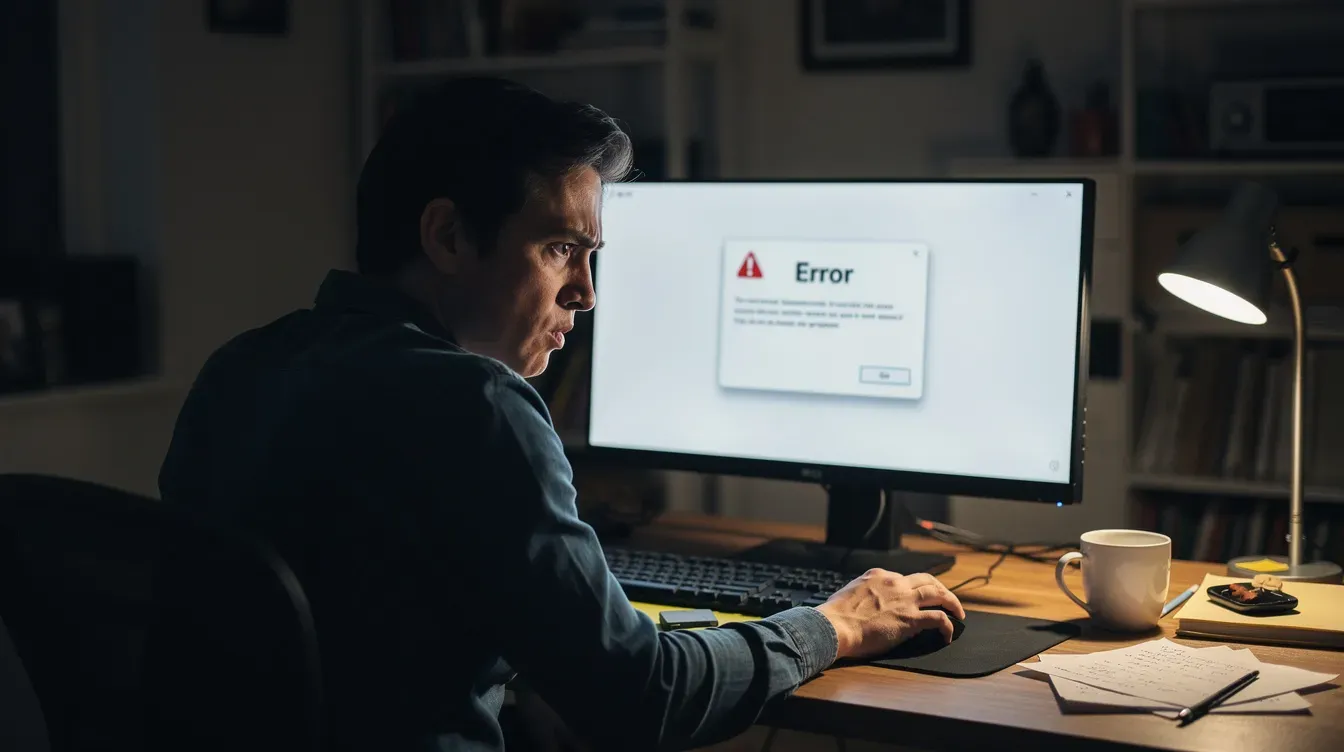
If an outage genuinely prevents filing on time, capture evidence - screenshots, timestamps, error messages - and contact HMRC as soon as services resume. This can support a "reasonable excuse" argument for penalty mitigation.
During downtime, you can still prepare offline: gather figures, draft capital gains tax calculations, and write down questions for HMRC.
Three essential steps before you contact HMRC about Self Assessment
Preparation makes phone calls, webchats, and letters more efficient and reduces the risk of incomplete answers. Before you pick up the phone or open webchat, run through these steps.
Step 1: Gather the right information
HMRC can only discuss your self assessment once they have confirmed your identity and understand your query.
Have ready: your national insurance number, UTR, full name and address as held by HMRC, recent assessment tax return figures, and any HMRC reference numbers from letters or emails.
If you are self employed, have turnover, expense summaries, and payment dates to hand. Landlords should prepare rental schedules and mortgage interest details.
For capital gains tax queries, gather dates of sale, purchase prices, and selling costs. Being prepared can significantly shorten call times and make webchat responses more accurate.
Step 2: Watch out for scams and fraudulent contact
Self assessment season sees a spike in fake emails, texts, and phone calls claiming to be from hm revenue and customs.
HMRC will never demand immediate payment via gift cards or bank transfer, threaten arrest, or ask for full bank or card details out of the blue. They will not contact you about a refund by asking for your financial details via email.
Double-check suspicious messages against examples on GOV.UK. Log into hmrc online or the hmrc app via trusted links - not links from emails - to verify any claim about penalties, a refund, or outstanding self assessment tax.
Report suspected phishing to HMRC's official reporting addresses.
Step 3: Try digital options before phoning
HMRC recommends using online services for faster communication. HMRC advises using their online digital assistant for information before calling the assessment helpline.
Many common issues - finding deadlines, checking if you need to register, confirming a payment has been received, or updating bank details - can be resolved in minutes through hmrc online.
If digital routes fail, note any error messages or pages you have seen so you can explain the problem clearly to HMRC advisers when you do call.
Webchat is often quicker than waiting in a phone queue and provides written confirmation of advice received. Using digital options first leaves phone lines freer for complex cases and for people with accessibility needs.
How Self Assessment links to other HMRC taxes (capital gains tax and corporation tax)
Self assessment can involve reporting multiple tax types, not just straightforward employment income.
Individuals report capital gains tax - from selling shares, second homes, or cryptoassets - through the self assessment tax return. If you are unsure how to complete these sections, contact HMRC using the channels above.
Company directors often file both a personal self assessment return and separate corporation tax returns for their companies. These use different hmrc online portals and may involve different helplines.
Examples of when to contact HMRC: confusion over capital gains tax annual exempt amounts, uncertainty about reliefs, or questions about corporation tax payment deadlines. HMRC usually has different teams for each, so using the right contact channel saves time. Check GOV.UK for the relevant phone numbers and online form options.
Making a complaint or asking for extra support
If you are unhappy with how HMRC has handled your self assessment query, or if you need additional support due to personal circumstances, there are formal processes.
Complaints: Start by raising the issue with the department that dealt with your case. Complaints can be made by phone, online form, or post. Clearly state what went wrong and what outcome you are seeking (for example, penalty reconsideration, explanation, or apology).
Extra support: HMRC's Extra Support Team helps people who are vulnerable, have a health condition, disability, or find it hard to use digital services. Contact is usually arranged via the helplines or dedicated webchat screening, and this team can discuss specific cases on your behalf.
Escalation: Unresolved assessment complaints hm revenue cannot resolve internally may ultimately be taken to the Adjudicator's Office or Parliamentary and Health Service Ombudsman, following HMRC's formal steps. A press release or public statement from these bodies is rare but does occur in significant cases.

FAQ: Contacting HMRC about Self Assessment
Below are answers to common follow-up questions about how to reach hmrc for self assessment issues.
How do I contact HMRC urgently near the 31 January Self Assessment deadline?
Start with hmrc's digital assistant and webchat - both are faster than the phone on deadline day. If your issue is urgent (for example, filing is blocked by a technical error), call the self assessment helpline at 0300 200 3310. HMRC may operate additional helpline hours around 31 January, so check GOV.UK on the day. Call as early as possible and have your national insurance number, UTR, and all relevant details ready. If technical issues prevent filing on time, keep evidence - screenshots with timestamps and records of phone calls - to support a reasonable excuse appeal.
What if I cannot pay my Self Assessment bill in full?
Contact HMRC before the payment deadline to discuss a Time to Pay arrangement. You can set this up via your online account for amounts under certain thresholds, or by calling the self assessment payment helpline on 0300 200 3822. HMRC may agree to instalments based on affordability, and acting early usually leads to a better outcome than waiting for enforcement. Be aware that interest will normally continue to accrue on unpaid tax, even if a Time to Pay plan is agreed. The payment due date does not shift - only the collection method changes.
How long does HMRC take to respond to Self Assessment queries?
Response times vary by channel. The digital assistant and webchat offer immediate or near-immediate responses. Helpline queues range from a few minutes to over an hour during busy periods around the 31 January and 31 July deadlines. Postal replies routinely take several weeks. For quicker written communication, use online messages in your personal tax account where available, and allow extra time around January and July peaks for any postal correspondence.
Can I deal with HMRC about Self Assessment if I am outside the United Kingdom?
Yes. Overseas taxpayers can manage self assessment using hmrc online, their personal tax account, and the international phone number +44 161 931 9070. Webchat via hmrc's digital assistant is particularly useful when phoning from abroad is expensive or difficult. Pay close attention to time zones - helpline hours are based on UK time, Monday to Friday 8 am to 6 pm. All the same online resources and the hmrc app are available regardless of your location.
Do I always need to contact HMRC to correct a Self Assessment mistake?
Not always. Many simple mistakes on a submitted assessment tax return can be corrected online by amending the return for the relevant tax year, typically within 12 months of the original filing deadline. Contact with HMRC is usually only needed for complex corrections, penalties already issued, or situations where online amendment is not possible - for example, older tax years or specific capital gains tax issues. Check GOV.UK guidance on amending returns before contacting HMRC, as an online update may be all you need.


